Pump protection
The Pump Protection feature prevents bots from responding to rapid and extreme price movements, such as sudden price spikes (pumps) or crashes (dumps).
In this guide, you’ll find:
- What is a Pump and Dump Strategy?
- How Pump Protection Works
- How to Configure Pump Protection
- Modifying Pump Protection for Active Bots
What is a Pump and Dump Strategy?
The Pump and Dump (P&D) scheme is used by speculative traders to manipulate a coin's value artificially.
- Pump: The price of a coin is intentionally inflated to attract buyers.
- Dump: Once the price peaks, assets are sold, causing the value to crash within minutes.
While some traders profit from this strategy, it carries a high risk of instant losses.
How Pump Protection Works
For GRID and BTD Bots
Pump Protection is enabled by default when Trailing features (Trailing Up or Trailing Down) are activated.
Pump Protection remains mandatory for BTD Bots when Trailing features are active.
If abnormal price movement is detected, the bot’s status changes to “Pump”:
- Trailing Up stops adjusting grids upward.
- Trailing Down stops adding grids downward.
Disabling it increases risk, particularly for volatile trading pairs.
For DCA Bots
Pump/Dump Protection prevents opening new positions during abnormal price fluctuations. This applies to both the Immediately and By indicator signal options. It does not stop the entire bot; it only prevents opening new positions while the protection condition is active. The setting is under Manual Adjustment > Risk Management tools.
How to Configure Pump Protection
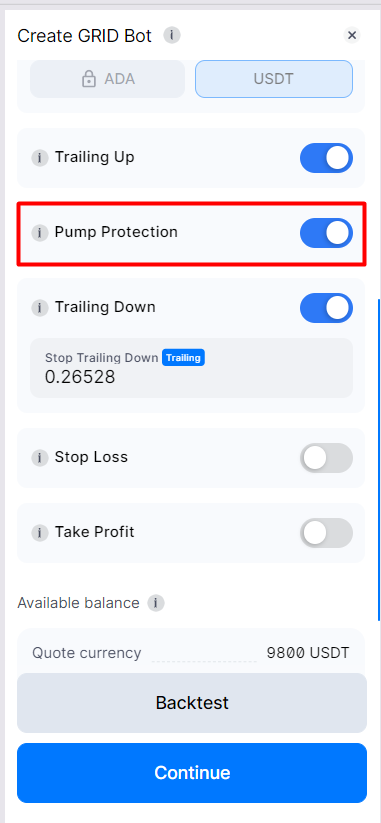
New GRID Bots:
In the Manual Adjustment section during bot setup:
- The Pump Protection toggle is enabled by default.
- You can deactivate it if necessary.
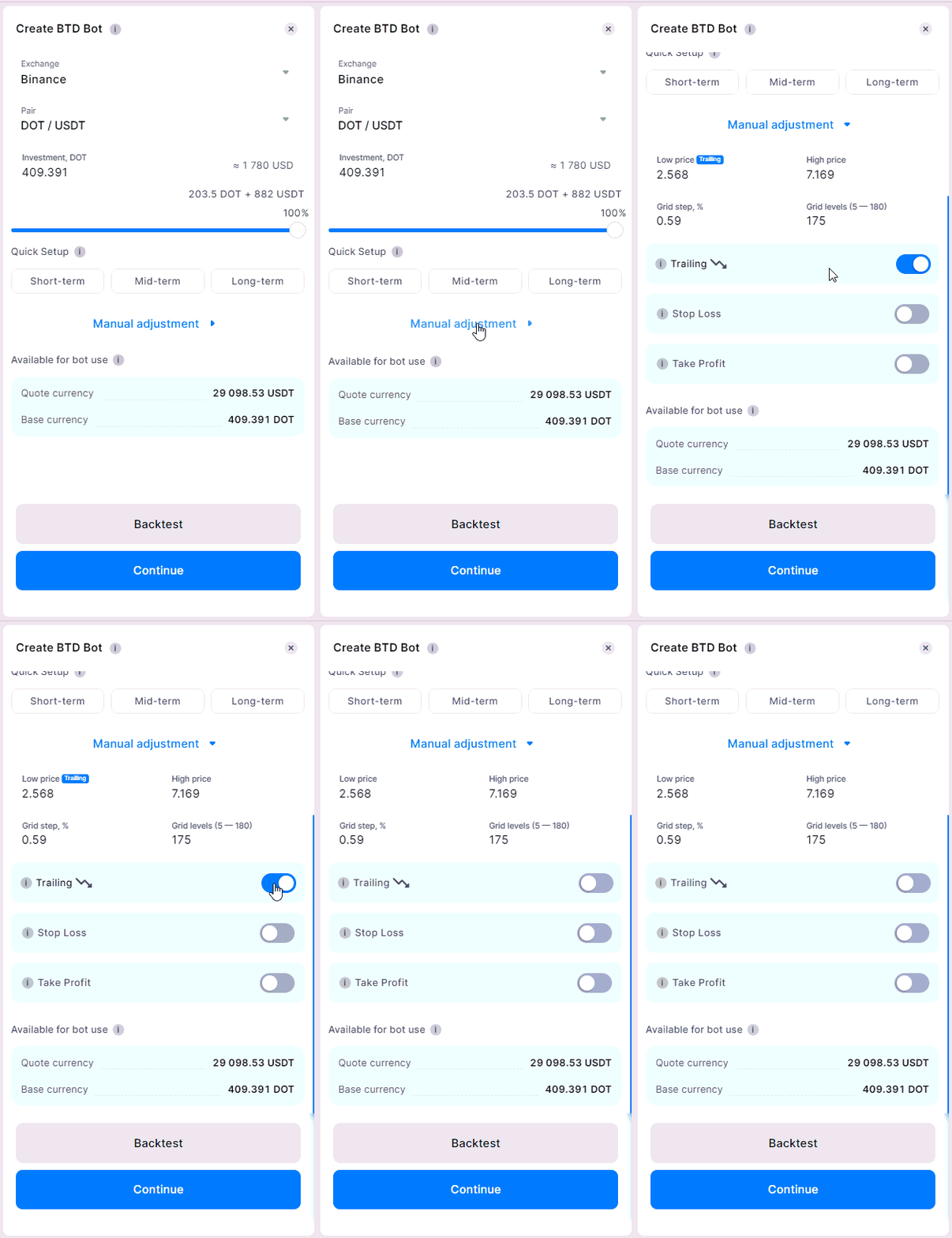
New BTD Bots:
- The Trailing feature is enabled by default, and Pump Protection cannot be disabled.
- To deactivate Pump Protection, turn off the Trailing feature entirely during bot setup.
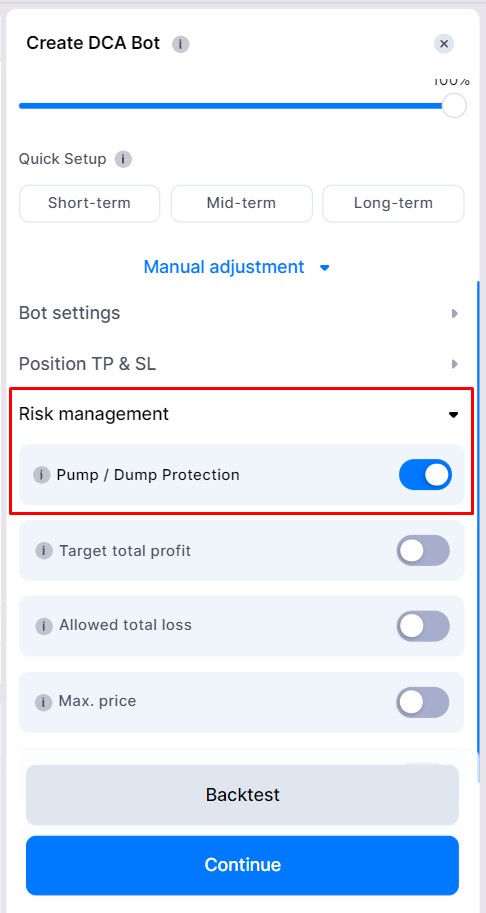
New DCA Bots:
- Navigate to the Manual Adjustment section.
- Under Risk Management tools, the Pump/Dump Protection toggle is enabled by default.
- You can choose to disable it if needed.
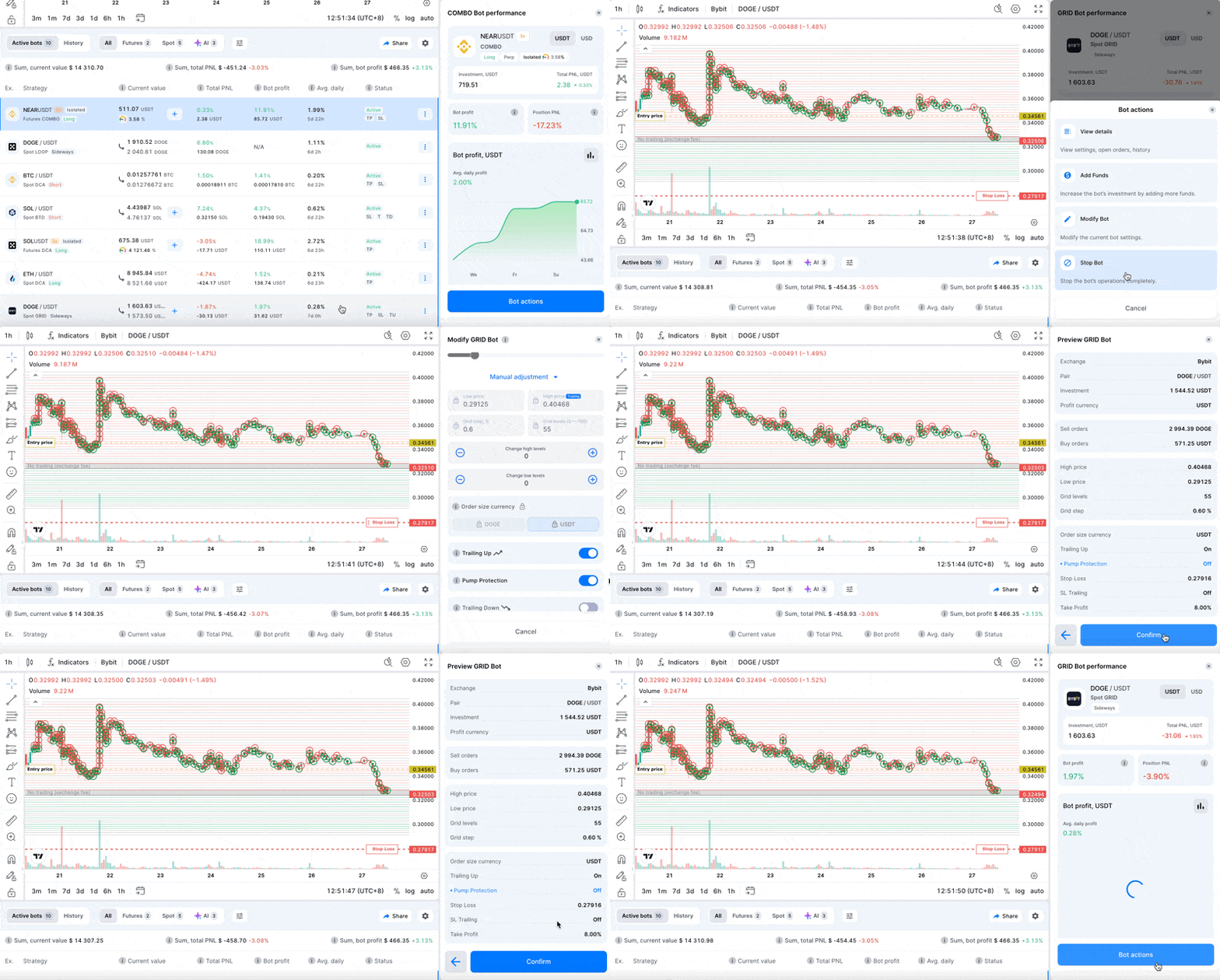
Modifying Pump Protection for Active Bots
- Select the active bot you wish to modify.
- Click the [Bot Actions] button.
- Choose [Modify Bot].
- In the Manual Adjustment section enable or disable the Pump Protection toggle.
- Review your updated settings and click [Confirm] to save changes.